The tent card problem nobody warns you about
A tent card is one card folded in half — so the name should appear twice, once upside down, and read correctly on both faces once folded. Word and the official Avery templates make you build that mirrored top half by hand, which is why "avery tent card upside down" is such a common complaint. A list-driven tool does the mirror for you.
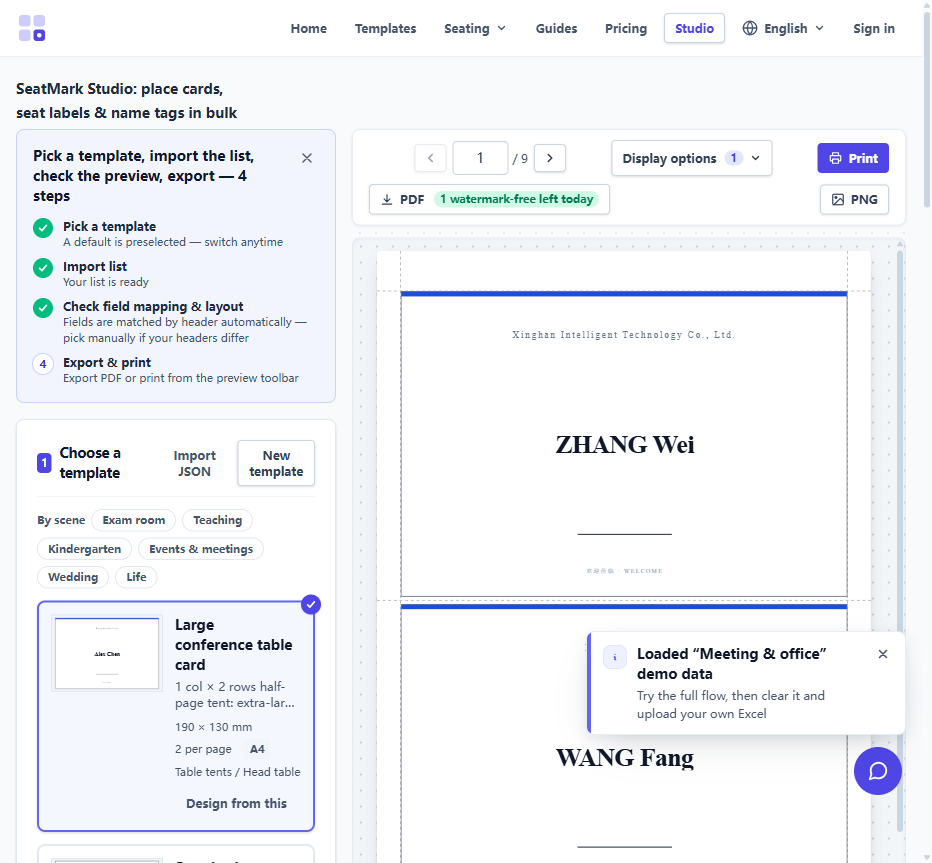
Match the layout to the stock
Avery sells three US Letter tent formats, and each scores the card differently:
| Product | Per sheet | Folded size | Best for |
|---|---|---|---|
| 5302 | 4 | 3.5 × 2 in | Place cards, buffet labels, small desk tents |
| 5305 | 2 | 8.5 × 2.5 in | Meeting name tents, long names and titles |
| 5309 | 1 | 11 × 3.5 in | Head-table cards, signage tents, panel desks |
In paper settings pick the matching layout — the margins and fold positions lock to the actual die-cut (e.g. 5305 scores at 3 in and 8 in from the top, 5302 at 3.25 in and 7.75 in). Generic clone stock usually copies the same geometry, so the layout still fits.
Upload, preview, print
- Choose a tent template in the studio — tent templates carry the mirrored field already.
- Upload the list. Excel, CSV or pasted names; each row becomes one folded card.
- Select the Avery layout matching your stock.
- Print at 100%. The single most common failure is "Fit to printable area" pushing names across the score line — always Actual size.
- Fold. Flex along the embossed score; 5309 also needs the two side strips torn away first.
When not to use tent stock
Place-card-size tents are lovely but not always the right shape — flat cards tuck into napkins, and escort cards carry table numbers. For the comparison, see escort cards vs place cards, and for the general double-sided walkthrough see double-sided name tents. The tent card generator page covers the direct workflow.