The job, in one sentence
You have a list of names in a spreadsheet and you need a printed card in front of every seat — a wedding, a conference, a dinner, a classroom. Editing a Word document two hundred times is how people used to do it. The faster route: feed the list to SeatMark, get a print-ready PDF.
Step 1 — The spreadsheet
First row headers, one person per row. Only the name column is mandatory — anything else (title, company, table number) becomes optional fields you can show or hide on the card.
Step 2 — Pick the card type
Flat place cards tile many-up on a page with cut lines. Table tents print the name upright on both halves with a centre fold line — right-reading from both directions, the detail most DIY templates get wrong. Templates cover formal, minimal and decorative styles; a visual designer lets you adjust fonts, size and alignment once for the whole batch.
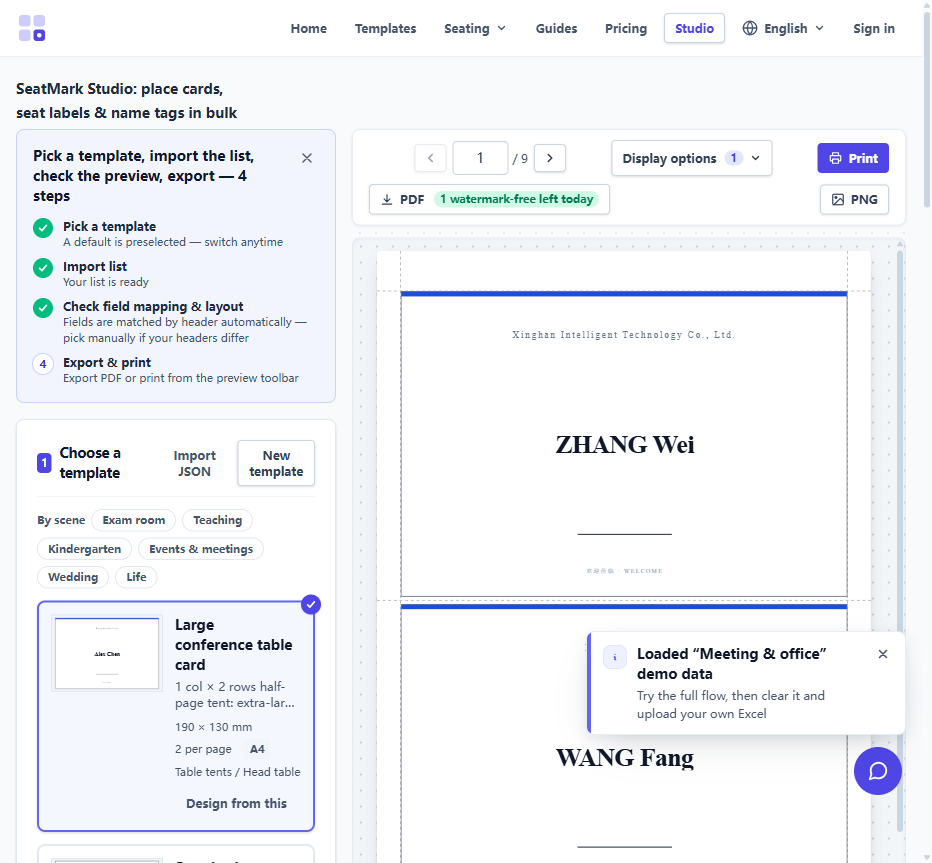
Step 3 — Import and preview
Upload the file. Headers map to card fields automatically — name, title, company, table are recognised out of the box. The preview fills with your real names, so layout problems surface before you print, not after.
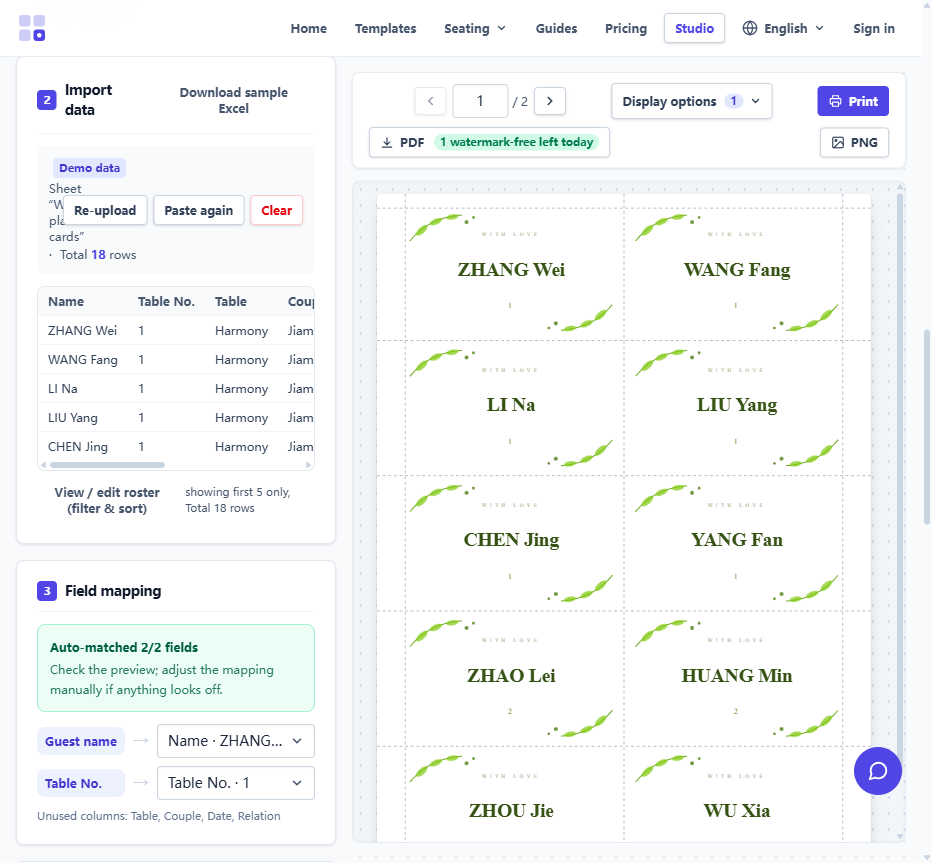
Step 4 — Export, print, cut
Export the PDF at A4, A5 or A3. Cards are imposed automatically for the sheet size. Print at 100% scale — "fit to page" is the single most common cause of misaligned cuts. On heavier stock (160–250 gsm) cards stand and cut cleanly.
If the cut lines are slightly off
Every printer feeds paper with a small mechanical offset. Run the calibration wizard once — print the ruler page, measure two lines — and the offset is compensated globally. After calibration, measured error stays within 0.35 mm, accurate enough for adhesive label sheets with pre-defined grids.
Compared with the alternatives
Mail merge works but makes you build the template by hand and rerun a wizard for every roster change — see our mail merge comparison. Design tools like Canva edit one card at a time and have no many-up imposition concept. If your input is a list, a batch tool is simply the right shape of tool.